Proxy Checking
Flexible checking settings allow you to select reliable, working proxies from sources that are suitable for use in your projects.
Checking parameters are configured in the Source Settings (details are available here).
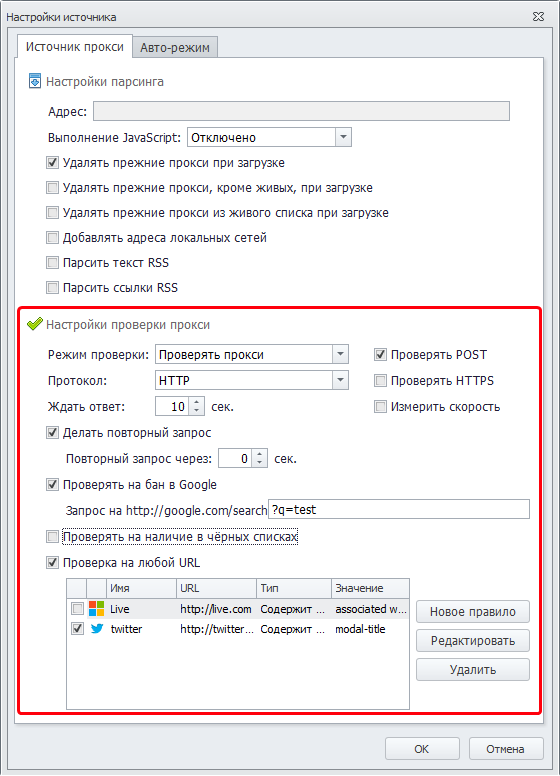
Creating a New URL Check
To add a proxy check for any URL, open the source settings. Enable the Check any URL option to unlock additional settings. At the bottom of the form, you will see the URL check settings. Select New rule:
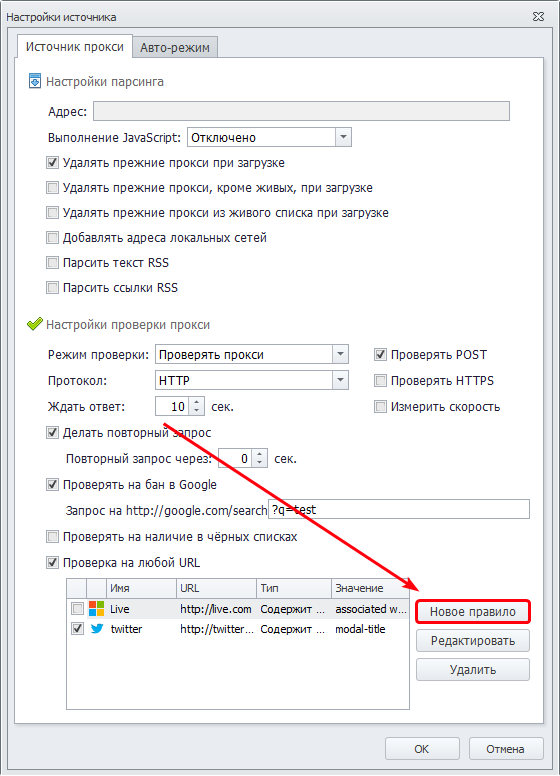
The form for creating a new rule to check any website will open:
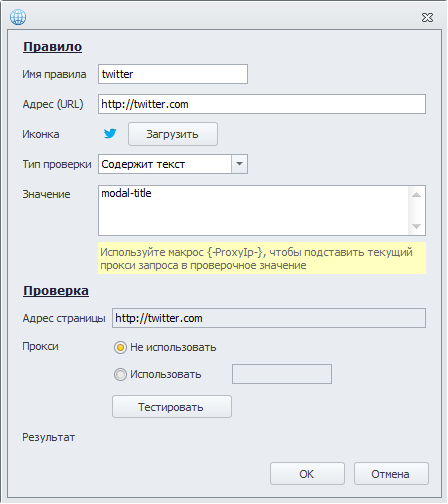
In the Rule section, you need to specify the name and parameters of the check. During verification, the program will navigate to the specified URL and retrieve the page text without executing JavaScript. If the text matches the criteria, the check will be considered successful.
In the Check section, you can test the rule right away. By default, the request is sent without a proxy, but you can optionally specify one.
After adding it, the new check will appear in the checks table. All checks added to the program are saved globally and are available for selection in all sources.
Configuring Sources
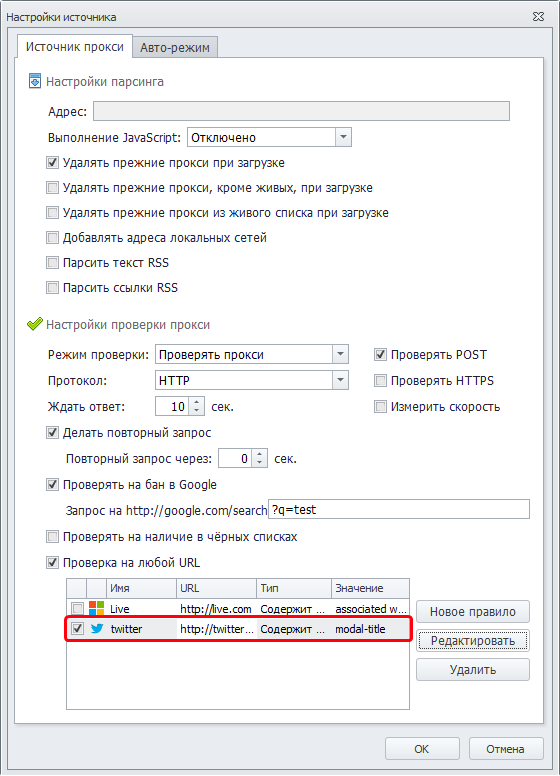
To ensure proxies from this source pass the desired check, select it in the table:
You can select URL checks for proxies from auto-search in the program settings:
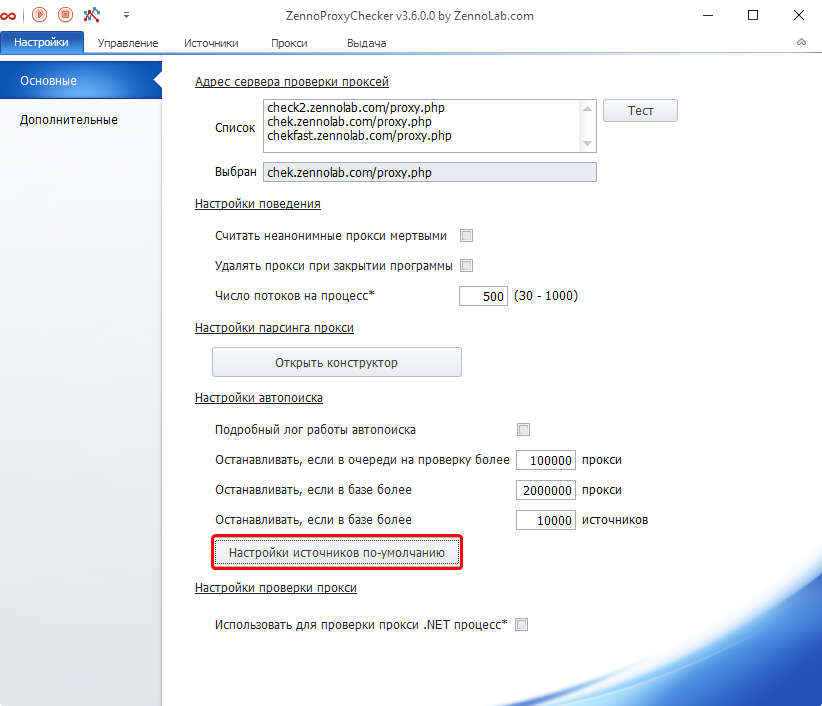
Proxy Checking
After adding a new URL check, a new column will appear in the live proxies table, where the check result will be displayed:
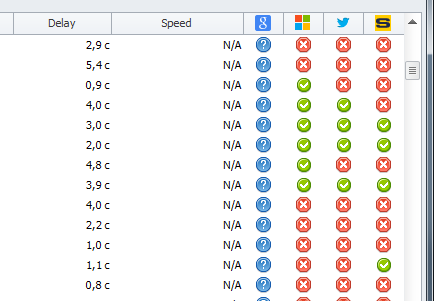
For debugging purposes, the following function is available: double-clicking the check result will start testing the selected proxy against this check.
Configuring Rules
To use the results of a URL check, you need to create a corresponding rule. In the program window Rules, create a New rule and add 2 components:
- Anonymity: On.
- URL Check: Add your checks.
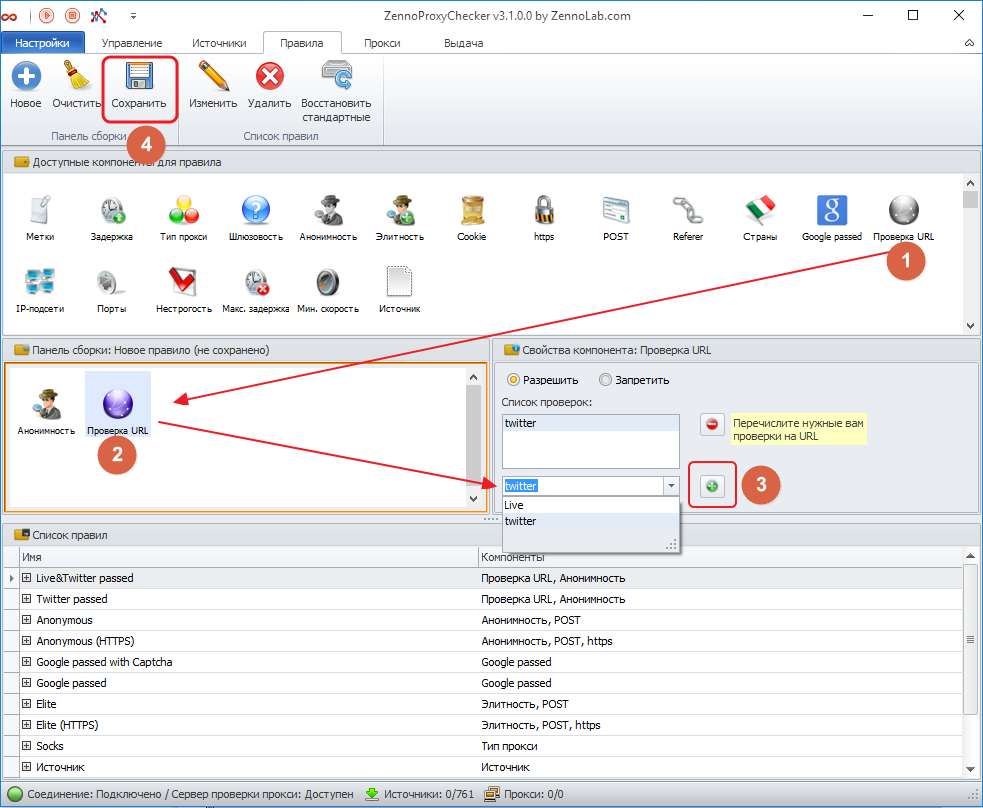
Then save the rule and specify its name.
As an example, you can refer to the rules “Twitter passed,” “Twitter&Live passed,” etc.
Using Rules
In the Proxy window, you can enable rule display:
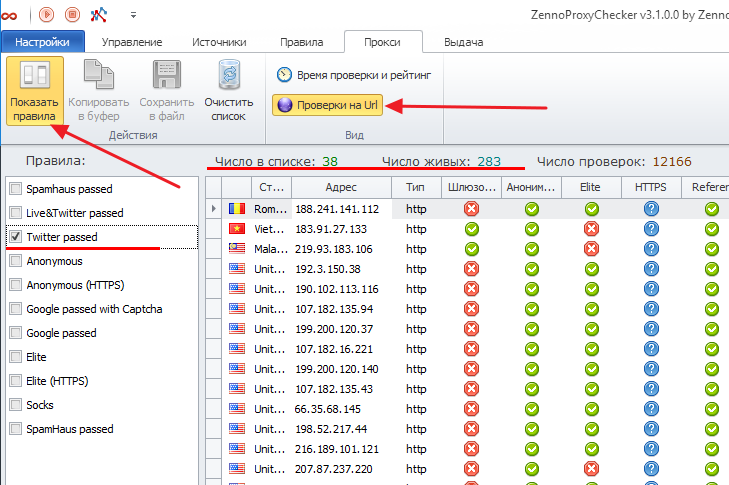
You can then use the rule when exporting proxies in ZennoProxyChecker and in ZennoPoster.